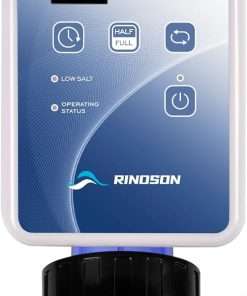
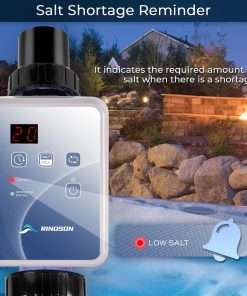
Product Details
- Product type: Salt cell replacement
- Model: BLT15
- Cell style: T-Cell-15 compatible
- Housing style: Clear
- Common use: Replacement cell for compatible Hayward Goldline AquaRite systems
- Compatible system types: Select AquaRite, AquaLogic, ProLogic, Mineral Springs, and related systems; verify exact models before publishing
- Cell setting: Confirm T-15 setting on the control box before use
- Warranty: Listed as 7-year limited warranty; verify exact warranty terms before publishing
- Not included: Control box, flow switch, salt, cleaning stand, unions, plumbing parts, and installation tools unless listed in the package
For complete system reference, the Hayward W3AQR15 AquaRite salt chlorination system can help buyers understand the type of setup that commonly uses T-Cell-15 style replacement cells.
Compatibility Notes
This BLT15 cell should be matched to systems that support a T-Cell-15 style salt cell. It should not be selected by appearance alone because similar-looking cells may have different cable ends, cell types, software settings, or system requirements.
If you are comparing replacement-cell options from other brands, the Jandy PLC700 AquaPure salt chlorine generator replacement cell may help buyers understand that different salt systems use different cell styles and should not be interchanged.
Always check the label on your old cell, the control panel diagnostics, and the owner’s manual before ordering. If your control box is set to the wrong cell type, salt readings and chlorine output may be inaccurate.
When to Replace the Salt Cell
A salt cell may need replacement if chlorine output is low, the cell fails after proper cleaning, the system shows cell-related alerts, or the plates show heavy wear, scaling, or damage.
Before replacing the cell, test pool water and check salt level, stabilizer, pH, flow, water temperature, and pump run time. Poor water balance or low flow can cause performance issues even when the cell is still usable.
Installation Guidance
Turn off power to the salt chlorine generator before removing the old cell. Confirm that the new cell matches your existing unions and cable connection before installation.
Install the cell in the correct flow direction and make sure all unions are seated properly to prevent leaks. After installation, restart the system, confirm the T-15 setting, and allow the system time to update readings before making salt adjustments.
If the system shows a flow warning after installation, the Hayward GLX-FLO 15 feet cable flow switch may be a related part to inspect separately.
Salt Cell Cleaning and Water Testing
Salt cells should be inspected regularly for calcium scale and debris. Clean only according to the manufacturer’s instructions and avoid scraping the plates with sharp tools.
For safer cell cleaning support, the Hayward GLX-CELLSTAND cleaning stand replacement may be useful for compatible Hayward Turbo Cell-style maintenance.
To check salt level separately from the control box reading, the Hayward GLX-SALTMETER digital handheld salt meter may help during routine pool service.
Calibration and Maintenance Notes
If you use a separate salt meter, the Hayward GLX-CAL-SOL 3200 PPM salt meter calibration solution can help support accurate salt meter readings when compatible with your device.
Keep water chemistry balanced to help protect the cell plates. Maintain salt, pH, alkalinity, stabilizer, calcium hardness, and chlorine level within the recommended range for your pool and salt system.