Product Details
- Product type: Local display replacement
- Brand: Hayward
- Part number: GLX-LOC-ONCOM
- Compatible system type: Select Hayward Goldline OnCommand salt chlorine generators
- Use: Replacement display interface for compatible OnCommand systems
- Best use case: Replacing a damaged or non-working local display while keeping the existing compatible control system
- Package contents: Confirm whether mounting screws, faceplate, wiring, gasket, or instructions are included before purchase
- Installation requirement: Power must be fully off before servicing the control unit or display area
Compatibility and Buyer Check
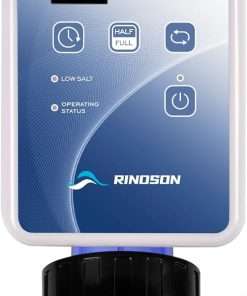
Before ordering, confirm that your Hayward system manual or existing display label calls for GLX-LOC-ONCOM. This part should be matched by part number, system type, display layout, and wiring connection, not by image alone.
If your local display is being serviced as part of a chemistry automation setup, compare your system with the Hayward Goldline HL-CHEM Sense and Dispense system before ordering display parts.
If your issue is display-related but your equipment is an Aqua Rite system, review the Hayward GLX-PCB-DSP Aqua Rite PCB display instead of this OnCommand display. If the screen or buttons are not responding because of a board-level issue, compare the Hayward GLX-PCB-RITE main circuit board before replacing only the local display.
What This Local Display Does
The local display is the user-facing control interface on a compatible Hayward Goldline OnCommand system. It allows the user to view system information and operate settings from the control area.
Replacing the display may help when the face panel, buttons, or screen are physically damaged or confirmed as the failed part. It will not fix every salt chlorine generator problem. No power, blank display, communication errors, low chlorine output, incorrect salt readings, or system faults may also come from the main board, transformer, fuse area, wiring, salt cell, flow switch, or water chemistry.
Before You Order
Check these details before purchasing:
- Confirm the exact part number GLX-LOC-ONCOM.
- Verify that your system is a compatible Hayward Goldline OnCommand model.
- Compare the display layout, button style, wiring connector, and mounting points with your existing part.
- Inspect the control box for moisture, corrosion, burned wiring, or loose terminals.
- Confirm whether the issue is the local display, main board, power supply, or wiring.
- If the unit has power problems, check the Hayward GLX-XFMR transformer replacement and Hayward GLX-FUSE-20 fuse holder replacement kit before assuming the display is the only failed part.
- Do not order this part for Aqua Rite, AquaTrol, or Pro Logic systems unless the service manual confirms compatibility.
Installation and Safety Notes
Turn off power at the breaker before opening the control box or touching any electrical part. Do not work on pool electrical equipment while the system is powered.
Before removing the old display, take clear photos of the wiring, connector position, and mounting location. Install the replacement display in the same orientation as the original part. Do not force connectors or reuse damaged wiring.
After installation, close the control area properly, restore power, and verify that the display, buttons, system menu, and connected equipment respond correctly.
Maintenance and Troubleshooting Tips
To help protect the replacement display:
- Keep the control box closed and protected from moisture.
- Inspect the display area for water intrusion or corrosion during service.
- Do not press damaged or stuck buttons repeatedly.
- Check power and fuse issues before replacing display parts.
- Keep wiring secure and away from sharp edges.
- Follow Hayward service instructions for diagnostics and setup after replacement.