
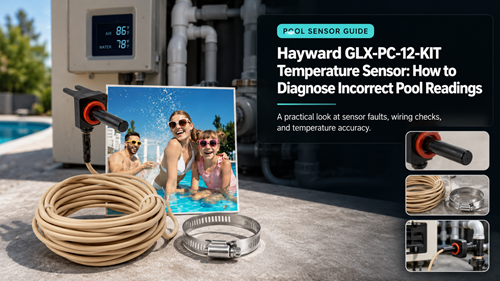
The Hayward GLX-PC-12-KIT Temperature Sensor is a 10K thermistor-style replacement used in compatible Hayward pool-control applications. When the displayed water temperature is wrong, the sensor is an obvious suspect, but cable damage, poor mounting, moisture at a connection, the wrong input, or a controller problem can produce similar symptoms.
Start with a safe comparison test. Measure the actual pool water using a reliable thermometer away from heater returns and strong sunlight, then compare that value with the controller after the water has circulated. Do not open a live control panel or probe line-voltage circuitry.
Hayward GLX-PC-12-KIT Temperature Sensor Symptoms
A fixed reading far above or below actual water temperature, a value that jumps unpredictably, or an error that appears after cable damage can point toward the sensor circuit. A small difference may simply reflect sensor location and water stratification.
A model-specific 10K thermistor pool sensor listing helps verify the part type before replacement.
Confirm The Error With An Independent Reading
Let circulation run long enough to mix the pool, then compare the controller value with a trusted thermometer in the same general water body. Avoid judging from surface temperature after a sunny afternoon.
Confirm The 10K Sensor Application
Thermistors change resistance with temperature, so the controller expects a specific sensor curve. A connector that physically fits is not proof that the sensor is electrically compatible.
When investigating a Hayward water temperature error, use Hayward troubleshooting material to understand how temperature information affects the chlorination platform before replacing unrelated parts.
If the controller also uses air or solar inputs, identify which input is producing the bad value. Label cables before service so a water sensor is not accidentally moved to another input.
Compare Displayed And Actual Temperature
A product marketed for solar sensor replacement should still be checked against the exact controller input and intended mounting location.
| Reading Pattern | Likely Area to Check | Next Step |
|---|---|---|
| Stable, small difference | Sensor location | Compare after full circulation |
| Large fixed difference | Sensor type or mounting | Verify part and placement |
| Reading jumps | Cable or connection | Inspect external cable and connector |
| Error after recent work | Input or wiring change | Review labels and installation |
| Several sensors wrong | Controller or shared issue | Professional diagnosis |
Cable, Mounting, And Solar-Sensor Checks
Inspect the accessible cable for cuts, crushing, UV damage, water intrusion, tight bends, or a splice. A damaged sensor cable can change the circuit and create a misleading temperature value.
The specified 15-foot thermistor cable should be compared with the route and connector on the existing installation.
Mounting matters. A water sensor that is not making proper contact with the pipe or water stream can respond more to air temperature than pool temperature.
For questions about AquaRite temperature calibration, use the current Hayward manual or technical support rather than adding arbitrary offsets to hide a hardware problem.
A broader GLX-PC-12-KIT troubleshooting check should also include water flow, controller status, and any recent equipment changes before a new sensor is ordered.
Replacement And Post-Install Verification
- Record the original displayed temperature
- Measure water independently
- Confirm the exact sensor model
- Identify water, air, or solar input
- Inspect accessible cable damage
- Power equipment down before connection work
- Mount the replacement in the intended location
- Restore circulation
- Compare values after stabilization
- Check for repeated errors over the next cycle
If the reading remains far off with a verified sensor and correct installation, the control input or electronics may need qualified service. Do not repeatedly replace sensors without confirming the rest of the circuit.
Hayward GLX-PC-12-KIT Temperature Sensor Ownership Records
Keep a simple service record for the Hayward GLX-PC-12-KIT Temperature Sensor: installation date, pool volume, salt test results, output setting, pump runtime, cleaning dates, warning lights, diagnostic readings, and any replacement parts. A seasonal record makes it easier to distinguish gradual component wear from a sudden chemistry, flow, or configuration problem.
When performance changes, compare the new readings with the last period when the pool was stable. That history is more useful than replacing several parts at once, and it gives a pool professional better evidence if advanced electrical or controller diagnosis is needed.
Also record major seasonal changes such as unusually hot weather, a new pump schedule, filter service, heavy swimmer use, or a chemistry correction. Those events can change chlorination behavior without indicating hardware failure, and they make future replacement decisions more evidence-based.
Frequently Asked Questions
What does 10K mean on a pool temperature sensor?
It commonly refers to the thermistor resistance specification at a reference temperature. The exact curve must match the controller.
Can I judge the sensor from the pool surface temperature?
Surface water can be warmer or cooler than circulated water. Compare after circulation with a reliable thermometer.
Can a damaged cable cause a wrong temperature reading?
Yes. Cuts, moisture, bad connections, or unsuitable splices can change the sensor circuit.
Is the same sensor used for water, air, and solar readings?
Some 10K sensor kits are used in multiple positions, but the controller input and mounting method must be correct.
What if the replacement sensor still reads wrong?
Verify mounting and input, then have the control electronics diagnosed rather than replacing another sensor blindly.
