
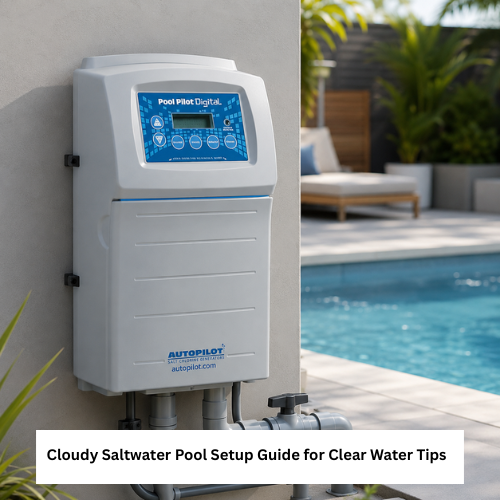
A cloudy saltwater pool after setup can happen when salt has not fully dissolved, the filter needs more run time, water balance is off, or the sanitizing system has not stabilized yet. Pool owners should test the water, check circulation, inspect the filter, and verify system settings before adding more products.
Cloudy water is not something to ignore. If you cannot clearly see the pool floor, steps, or drains, avoid swimming until the water is clear and properly balanced. Salt chlorine generators need good circulation, correct salt level, and balanced water to work safely and effectively.
Why Cloudiness Happens After Setup
A new saltwater setup can disturb water balance. Salt may still be dissolving, the pump may need longer circulation, or the filter may be catching fine debris. In some pools, low sanitizer output or high debris load can also affect water clarity.
A cloudy pool does not always mean the salt chlorine generator is bad. It may be a water chemistry, circulation, filtration, or setup timing issue.
Cloudy Saltwater Pool Troubleshooting Steps
A cloudy saltwater pool should be checked in a clear order so owners do not add random chemicals or replace parts too early. Start with testing, then circulation, then filtration, then generator settings.
Before troubleshooting, check:
- Salt level
- Free chlorine level
- pH and alkalinity
- Pump run time
- Filter condition
- Salt cell status
- Water temperature limits if listed
- Recent salt additions
- Recent rain or refill water
- Manual instructions for your system
| Cause | What It May Look Like | What to Check | What to Verify Before Acting |
| Salt not fully mixed | Cloudy after adding salt | Circulation time | Retest after mixing |
| Low sanitizer | Dull or hazy water | Chlorine level and generator output | System settings and cell condition |
| Dirty filter | Water stays hazy | Filter pressure or debris | Cleaning instructions |
| Water balance issue | Cloudy or scaling signs | pH, alkalinity, calcium if tested | Product directions |
| Poor circulation | Dead spots or uneven clarity | Pump, returns, valves | Flow and setup |
Cloudy Pool Water and Filter Run Time
Cloudy pool water often needs better circulation and filtration before anything else. If salt was just added, let the pump run long enough for the water to mix before retesting.
A cloudy pool water check should include pump operation, filter condition, water testing, and whether salt was recently added.
Do not keep adding salt or chemicals before confirming current readings. Too many quick adjustments can make troubleshooting harder.
Salt Pool Cloudy After Adding Salt
If a salt pool cloudy issue appears right after adding salt, the salt may still be dissolving or the water may not be fully mixed. Brush the floor if needed and keep circulation running according to your setup instructions.
A salt pool cloudy problem should be retested after circulation before assuming the salt chlorine generator is failing.
If undissolved salt sits on surfaces, follow safe brushing and circulation guidance so it does not remain concentrated in one place.
Saltwater Troubleshooting for Sanitizer Output
A salt chlorine generator does not instantly clear water if sanitizer was already low, the cell needs attention, or water chemistry is outside the system’s operating range.
A saltwater troubleshooting process should include checking the salt cell, flow status, output setting, water balance, and filter condition.
For product comparison, review pool clarifier options and verify pool compatibility, dosage instructions, filter requirements, and return policy before buying.
Pool Water Clarity and System Checks
Pool water clarity depends on filtration, circulation, sanitizer level, and water balance. Salt systems are part of the sanitizing plan, but they do not replace testing and maintenance.
A pool sanitizing system should be checked for correct installation, proper flow, clean cell condition, and model-specific operating instructions.
If the system shows an alert, read the manual before adding salt, acid, clarifier, or other products.
Salt Cell and Filter Maintenance
Cloudy water can happen when the filter is dirty, the salt cell is scaled, or the pump is not circulating long enough. Follow manufacturer directions for cleaning or inspection.
A chlorinator replacement cells check may be needed if the cell is old, damaged, scaled, or no longer producing as expected, but compatibility must be verified before buying.
Do not assume any replacement cell fits your system. Confirm part number, model compatibility, plumbing fit, warranty, and return policy.
Safety Notes for Cloudy Pool Water
Do not swim in water that is too cloudy to see the bottom clearly. Poor visibility can create safety risks and may also indicate sanitizer or filtration issues.
Keep children and pets away from unclear water until the pool is safe. Handle pool chemicals carefully, store them as directed, and never mix products unless the label allows it.
Common Setup Mistakes
Avoid these mistakes:
- Adding salt without testing first
- Not running the pump long enough
- Ignoring filter cleaning
- Assuming cloudy water means bad salt
- Increasing generator output without checking chlorine
- Adding clarifier before reading directions
- Replacing parts before checking compatibility
- Skipping water balance testing
Troubleshooting After 24 Hours
If cloudiness does not improve after circulation and filtration, retest the water and check the filter. Review salt level, sanitizer level, pH, alkalinity, cell status, and pump operation.
If the pool is still cloudy after basic checks, consider professional water testing or service support. Do not guess with repeated chemical additions.
Practical Buying Checklist
Before buying troubleshooting products or replacement parts, confirm:
- Size or fit: Product or part matches pool size, system model, and plumbing setup
- Compatibility: Works with saltwater pools and your specific generator
- Safety: Label directions, chemical handling, and swimming restrictions are clear
- Material or build quality: Cell, filter, test kit, pump part, or clarifier packaging looks reliable
- Setup or installation: Instructions are clear before use or installation
- Maintenance: Cleaning, retesting, and storage steps are manageable
- Warranty: Verify before buying
- Return policy: Check before ordering
- Replacement parts: Verify salt cell, filter, flow switch, sensor, unions, and control parts
- Delivery or support: Confirm arrival before pool use or planned maintenance
- Verify before buying: Do not assume part compatibility, chemical dosage, or instant water clarity
Conclusion
A cloudy saltwater pool after setup usually needs careful testing, circulation, filtration, and system checks before more salt or chemicals are added. Use a step-by-step process, follow the generator manual, and verify product compatibility before treating a cloudy saltwater pool.
FAQ
Why is my saltwater pool cloudy after adding salt?
Salt may not be fully dissolved, circulation may be incomplete, or water balance may need adjustment.
Can I swim in a cloudy saltwater pool?
Avoid swimming if you cannot clearly see the bottom, steps, or drains.
Does cloudy water mean my salt cell is bad?
Not always. Check salt level, chlorine, filter condition, flow, and water balance first.
Should I add more salt if the pool is cloudy?
Only add salt after testing and confirming the level is low.
What should I verify before buying replacement parts?
Verify model compatibility, part number, plumbing fit, warranty, return policy, and installation requirements.
