


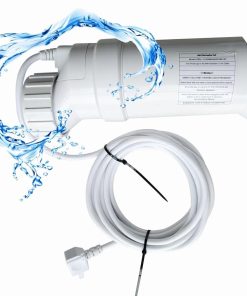
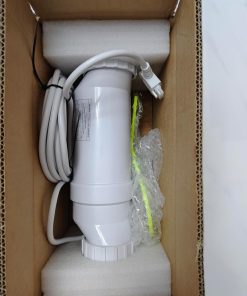

Product Details
- Product Type: Replacement salt cell
- Model Number: T-15-cell
- Compatible Cell Type: T-CELL-15 style replacement
- Pool Capacity: Up to 40,000 gallons
- Compatible Systems: AquaRite, AquaRite Pro, AquaPlus, ProLogic, OmniLogic, OmniHub, SwimPure Plus, TurboCell, W3T-CELL-15, T-CELL-15, T-CELL-15-SWP, and PL7106, verify before publishing
- Product Dimensions: 7 x 3 x 3 inches
- Item Weight: 5.39 pounds
- Best Use: Replacing a worn or failed compatible salt cell in an existing salt chlorine generator setup
- Not a Full System: This is a salt cell replacement only, not a complete control box or full chlorinator system
Compatibility Check Before Ordering
This cell should only be selected after confirming the exact model printed on your current salt cell and the cell type setting inside your control panel. A wrong cell type setting can cause incorrect salt readings, output issues, or system alerts.
If your current setup uses a Hayward T-Cell-15 salt generator, match the controller setting to T-CELL-15 before regular operation. Buyers comparing similar replacement options can also review a T-Cell-15 compatible salt cell before final purchase.
Replacement Salt Cell Use
This replacement cell helps convert dissolved pool salt into chlorine through electrolysis when connected to a compatible salt chlorine generator system. It is mainly for restoring chlorine output when the old cell is scaled, worn, damaged, or no longer producing properly.
For other 40,000-gallon replacement options, compare a salt cell for 40,000 gallon pools before choosing the final part. Do not replace the cell until the salt level, water flow, power connection, and control panel settings have been checked.
Salt Level and Water Balance
The product page mentions an ideal salinity range of 2,800–4,500 ppm. Always verify the required salt range in the product manual and test the water before startup.
High salt, low salt, low flow, scale buildup, and poor water balance can affect cell performance. Keep pH, alkalinity, stabilizer, calcium hardness, and salt level within the recommended range for your pool system.
Installation and Setup Notes
Turn off power before removing the old salt cell. Check the flow direction, unions, cable connection, and O-ring condition before installing the replacement cell.
After installation, set the control panel cell type to T-CELL-15 if your system requires manual cell selection. For AquaRite-style systems, follow the exact menu steps in the manual instead of guessing from memory.
Maintenance and Cleaning Notes
Inspect the cell regularly for scale buildup or debris. Clean the cell only according to the product manual, because harsh tools or incorrect cleaning methods can damage the plates.
If the system still shows low salt, high salt, no flow, or no chlorine production after installing the cell, check water chemistry, flow switch, cable connection, controller settings, and main control board before assuming the new cell is defective.
Before You Buy
Choose this replacement cell only after confirming model compatibility, pool size, salinity range, controller setting, plumbing fit, cable connection, warranty terms, and package contents. For live pricing, availability, and customer review checking, you can check this T-Cell-15 replacement salt cell on Amazon before buying.


