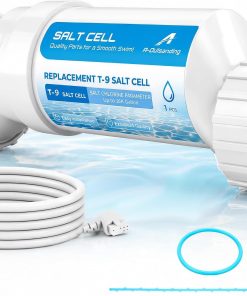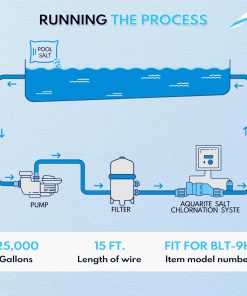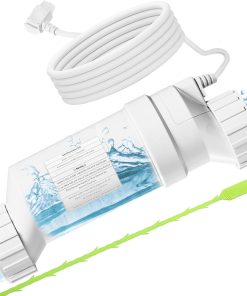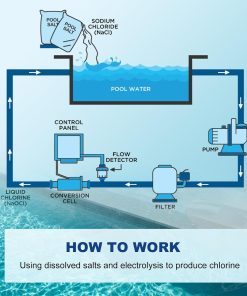

Product Details
- Part numbers: GLX-PCB-RITE and GLX-PCB-DSP
- Product type: PCB circuit board and PCB display board replacement
- Compatible use: Select Hayward Goldline AquaRite and Aqua-Trol salt chlorine generator systems
- Also listed for: Select NatureSoft and Mineral Springs systems
- Listed compatible cell types: T-CELL-15, T-CELL-9, T-CELL-5, and T-CELL-3
- Product dimensions: Listed as 3 x 3 x 0.5 inches
- Item weight: Listed as 1.92 ounces
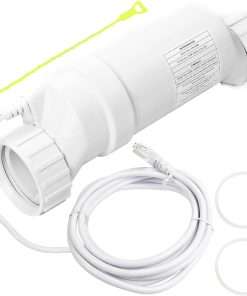
- Replacement part only: Not a complete chlorinator, salt cell, control box, flow switch, or full automation system
- Package contents: Confirm exact included boards and accessories before publishing
Compatibility Notes
Use this replacement board set only if your system manual or existing equipment confirms GLX-PCB-RITE, GLX-PCB-DSP, or both part numbers. If your repair only needs the main board, compare the GLX-PCB-RITE main circuit board before ordering this combined board listing.
If the front display is blank, damaged, unreadable, or showing incorrect readings while the main board still works, check the AquaRite PCB display board as a separate replacement option.
For Aqua-Trol systems that need a different main board, review the Hayward GLX-PCB-TROL-HP main PCB replacement before purchasing.
What the PCB Board and Display Board Do
The main PCB helps control key salt chlorinator functions, while the display board helps show system readings, status information, and user-facing controls. When either board fails, the system may show incorrect readings, display problems, power issues, warning messages, or chlorine production errors.
A board issue can look similar to a salt cell, wiring, fuse, sensor, or flow switch problem. Check the connected parts and system settings before replacing the board.
Installation Notes
Turn off all power to the pool equipment before opening the control box or handling the circuit board. This part should be installed only by someone comfortable working with pool equipment wiring and electrical safety.
Take clear photos of the old board, wire positions, connector locations, and any jumper settings before removing anything. Do not guess on wiring, voltage, board orientation, or connector placement.
If your existing control box is damaged or you need the full controller instead of only the boards, compare the GLX-CTL-RITE control unit before replacing individual components.
Troubleshooting Before Replacement
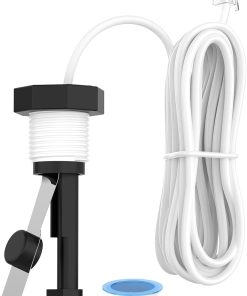
If the system is showing a no-flow or low-flow message, inspect the Hayward flow switch before assuming the PCB board is the failed part.
If the display works but chlorine production is low, also check salt level, water balance, salt cell condition, fuse condition, cable connections, controller settings, and the selected cell type setting.
Do not replace the board only because of a warning light until the salt cell, flow switch, wiring, fuse, connected sensors, and incoming power have been checked.
Handling and Maintenance Tips
Handle circuit boards carefully and avoid touching the electronic components more than necessary. Keep the board dry and protected from static, moisture, corrosion, and loose debris during installation.
Do not install a new board into a control box that shows water intrusion, burnt wiring, melted terminals, or heavy corrosion. Those issues should be corrected before the replacement board is installed.
Before You Order
Confirm that your system uses GLX-PCB-RITE and/or GLX-PCB-DSP and that your chlorinator is a compatible Hayward Goldline AquaRite or Aqua-Trol model. Also verify your cell type, wiring layout, voltage requirements, display board style, connector locations, and whether both boards are included in the package before purchasing.