






Product Details
- Product Name: IC40 Salt Cell Replacement
- Replacement Part Number: EC-520555
- Compatible System: Pentair IntelliChlor IC40 salt water chlorine generator
- Pool Type: In-ground saltwater pools
- Pool Size Compatibility: Up to 40,000 gallons
- Product Type: Replacement salt cell
- Installation Type: Direct-fit replacement cell
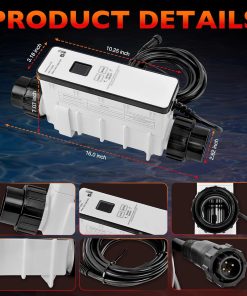
- Product Dimensions: 18.9 x 5.93 x 11.34 inches
- Item Weight: 6.98 pounds
- Item Model Number: AP-A4042
- Number of Items: 1
- Warranty: Listed as a two-year limited warranty
- Main Use: Restores chlorine generation in compatible IC40 saltwater pool systems
Compatibility Guide
This product is made for buyers who need a salt cell replacement for a compatible Pentair IntelliChlor IC40 system. It should only be used when your current salt cell, control system, and replacement part requirement match EC-520555 or IC40.
If you are comparing replacement options, check this product against the Pentair 520555 IntelliChlor IC40 salt chlorine generator cell before ordering. Do not use this replacement cell with IC20, IC60, Hayward, Jandy, AutoPilot, or other systems unless compatibility is confirmed by the manufacturer or installer.
Installation Notes
Turn off the pool pump and disconnect power to the salt chlorine generator system before removing the old cell. Allow water pressure to release fully, then loosen the union fittings carefully and remove the existing IC40 cell from the plumbing line.
Before installing the new cell, inspect the O-rings and union connections for dirt, cracks, or wear. Position the replacement cell in the same direction as the original and make sure the flow arrow matches the water flow direction.
Pool Use and Performance
When installed with the correct system, this replacement cell helps your salt water chlorinator produce chlorine automatically during regular pool circulation. It can reduce the need for manual chlorine tablets, but normal water testing and pool balancing are still required.
For best performance, keep salt level, stabilizer, pH, calcium hardness, and water flow within the range recommended by your IntelliChlor system manual. Low salt, cold water, poor flow, or scale buildup can reduce chlorine output even when the cell is new.
Replacement and Maintenance Tips
Salt cells are consumable pool parts and usually need replacement after years of use, depending on water chemistry, runtime, calcium buildup, and pool conditions. If your system shows low chlorine output, check salt level, flow, cell cleanliness, and control panel messages before replacing extra parts.
This product is useful for buyers browsing chlorinator replacement cells for compatible in-ground saltwater pools. Clean the cell only when needed and follow the correct cleaning method, because harsh cleaning or frequent acid washing can shorten cell life.
Before You Buy
Choose this replacement only if your pool currently uses an IC40 system and needs an EC-520555 compatible cell. If your setup needs a power center, control box, complete generator system, or different cell size, this product alone may not solve the issue.
Buyers comparing a complete IntelliChlor IC40 salt chlorine generator should confirm whether they need the full system or only the replacement cell before purchase.


